Turn more visitors and enquiries into booked patients.
Most people who find your practice aren’t ready to book — they can’t picture their own new smile. With Lexivo, you give them a better offer: a free preview of their own smile in your practice’s own toolkit, with the result simulated on their photo, in about a minute. Put it on your website, in your ads and in every follow-up. Your dentist’s reply books the consultation — and every “maybe later” gets a fresh look.
Everywhere you
pay for attention.
Lexivo gives your practice its own toolkit, with your name, your dentists and your treatment menu in it. It puts a free preview of their own new smile in front of every person you reach: the visitor on your website, the person who taps your ad, and every enquiry that went quiet. In about a minute they see their smile scored and a treatment from your menu simulated on their own photo — and your dentist sees exactly what they are hoping for.
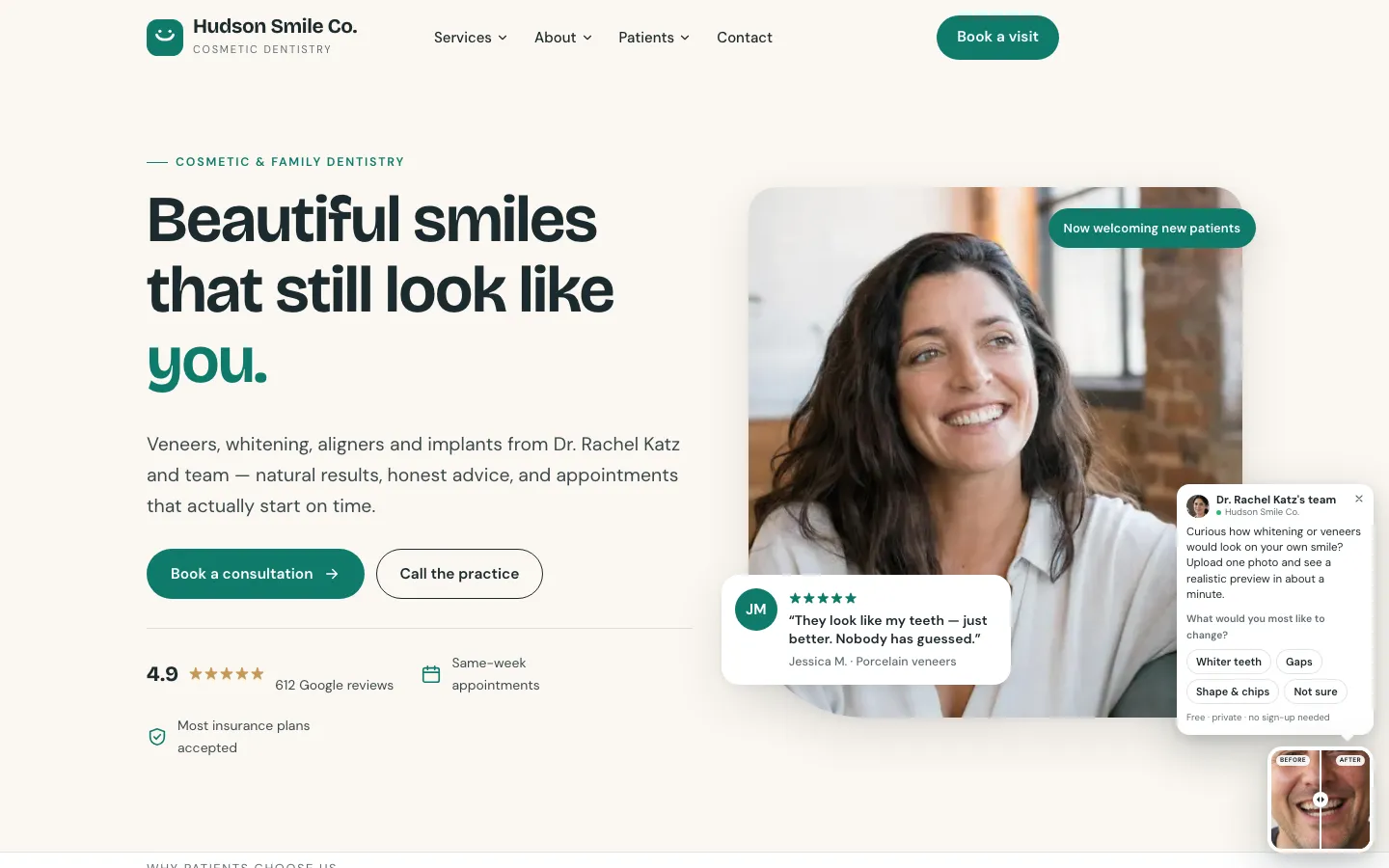
- Your practice’s own toolkitOn your own address, in your name, palette and treatment menu — never ours. Nothing to download.
- A free preview of their own new smileSeven cosmetic indicators scored on one photograph, the treatments that fit from your menu, and a labelled simulation of the result.
- A reply from your dentistWhen they ask for your opinion, a dentist replies in a note or a short video — the moment they stop comparing practices.
- A dashboard that brings back “maybe later”Every preview and consultation traced to the ad or page that produced it, and a fresh preview for every enquiry that never went ahead.
- 01 · Website
On your website
A small before-and-after card, or a “See your new smile” button on any page. One tap opens your toolkit.
- 02 · Ads
Behind your ads
A preview of their own smile is a better offer than a whitening deal — for Google searches and for your Instagram ads.
- 03 · Enquiries
In every follow-up
A link sent to every enquiry that went quiet: the after-hours form, the missed call, the “just asking about veneers”.
- 04 · Never went ahead
To every “maybe later”
Patients who had a consultation and never booked the treatment get a fresh look at their own new smile.
more likely to qualify an enquiry when you reach them within the hour, rather than an hour later.
Harvard Business Review, 2011Independent research, cited for context. It describes the market, not results from Lexivo.
The card in the corner of this page is the real thing. Tap it and use the toolkit exactly as a patient of your practice would.
You already paid for the enquiry.
Too many of them never book.
Cosmetic enquiries are expensive and fragile. A patient asks about veneers or whitening at ten at night, gets a generic reply, and spends the next two days comparing smile galleries on three other practice websites — none of which show them their own smile.
An auto-reply, then phone tag with the front desk. The practice that answers first — and personally — usually wins the consultation.
Somebody else’s before-and-after is not their smile. Cosmetic work is an emotional decision, and nobody books what they cannot see.
A phone number asks somebody to commit before they have seen anything of their smile. Most visitors are not ready yet, so they leave.
Same galleries, same “book a free consultation”. Nothing tells them a dentist has actually looked at their teeth.
- “Could veneers close my gap?”
Website form, after hours.
- “Thank you for contacting the practice”
Auto-reply. Nothing about his smile.
- Front desk calls → no answer
He is in a meeting. A voicemail is left.
- Still comparing
Three more practice websites, three more galleries.
- Booked somewhere else
With the practice that showed him something first.
The AI creates the wow.
Your reply books the patient.
Two halves, in this order. The AI does what no front desk can do at ten at night — a personal smile analysis and a simulation on their own photograph. Then you review it and reply, which is what turns a curious visitor into a patient in your chair.
Instant, personal, on their own photograph
You or your team, in a couple of minutes
-
AI
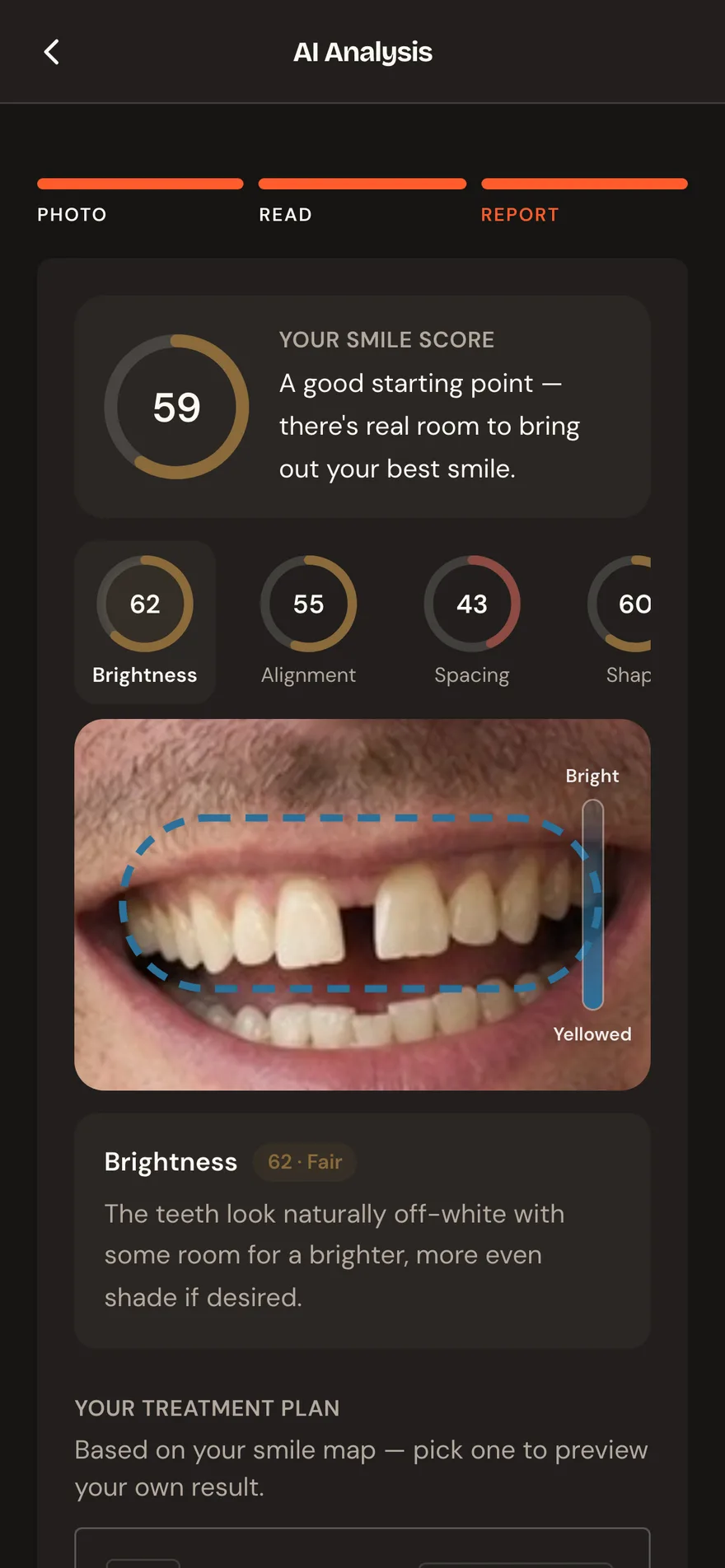 Step 01
Their smile, analysed
One photograph. Seven cosmetic indicators — shade, alignment, spacing, shape — scored and located on their own teeth.
-
AI
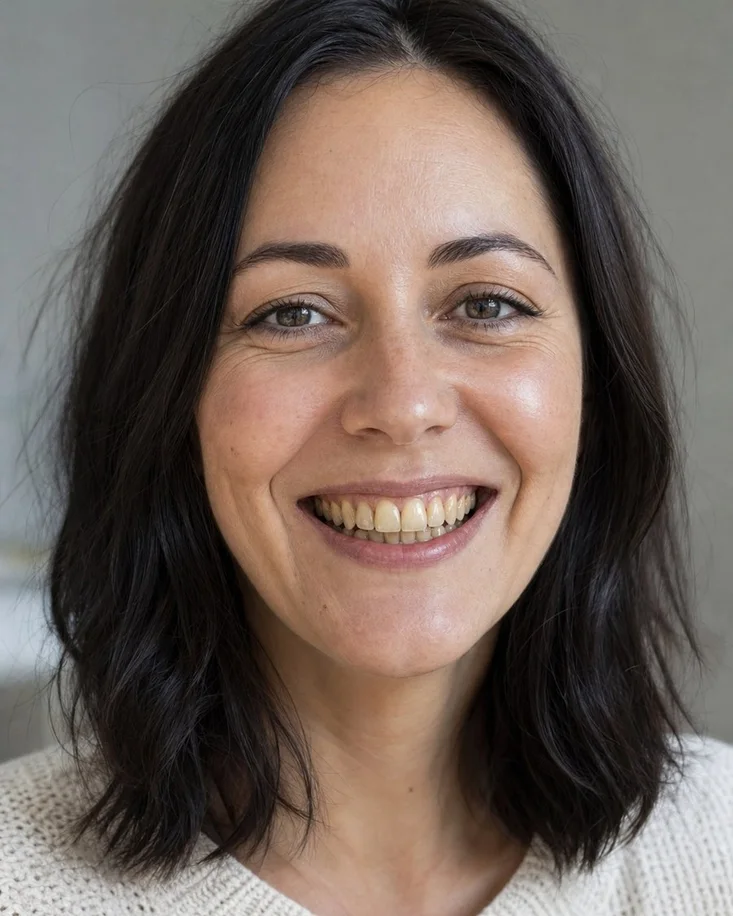
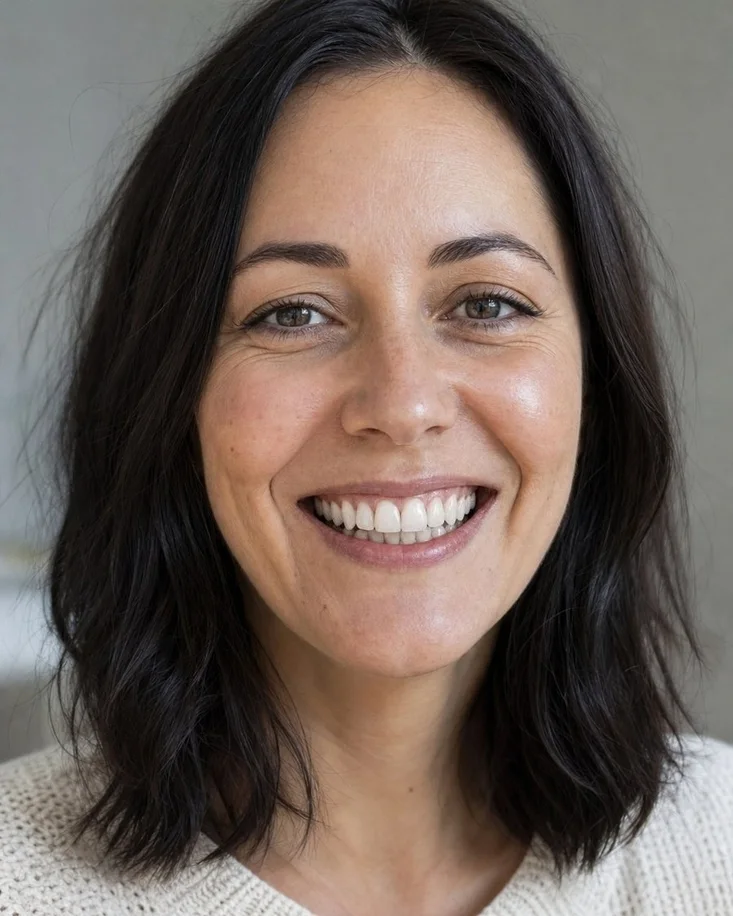 Step 02
Their new smile, simulated
The treatments that fit, drawn only from your menu — and a TrueRender™ simulation of the leading one on their own face.
-
DentistStep 03
You review it
Their photograph, smile analysis and simulation arrive in your dashboard as one request. Everything you need to reply, in a single glance.
-
DentistStep 04
Your reply books them
A short note or a one-minute video from the dentist who would treat them. It is the moment they stop comparing practices.
Anyone can generate a white smile.
Keeping it their smile is engineering.
Ask an image model for “better teeth” and you get a perfect, opaque, too-white denture on a stranger — the one result that makes a patient stop believing the whole page. A mouth is a few percent of a portrait, so every analysis and every simulation is built around finding it, reading it closely, and changing nothing else.
- 1Visibility gateThe teeth themselves must be visible. A closed-mouth photo is declined, however sharp it is.
- 2Find the smileThe lips are located, then cropped and re-filled to
1536 pxso the read lands on the teeth. - 3Five-read medianEvery measure read
5×in parallel; the median is the score. - 4Score & planSeven measures, weighted. Previews only for treatments your practice offers.
- 5Mouth-only renderOnly the mouth region is regenerated, then feather-composited onto the original.
- 6Optical alignmentZoom and offset drift measured and corrected, so the comparison is a comparison.
photo.visible    teeth visible  # closed mouth → retake
smile.detect     lip box · temperature 0
crop.score       smile → 1536 px long edge
reads            parallel 5 · median
brightness       median 71
alignment        median 78
spacing          median 58 · 1 gap marked
gum_line         median 84 · weight 0.5
overall          74 · weighted
plan             aligners, veneers ← spacing 58 < cut 74
render.region    lips ×2.2 × ×3.2 → ~1024 · feather 5%
align            NCC 0.90 → 0.96 · scale 1.012
output           texture ✓ translucency ✓ · opaque ✗
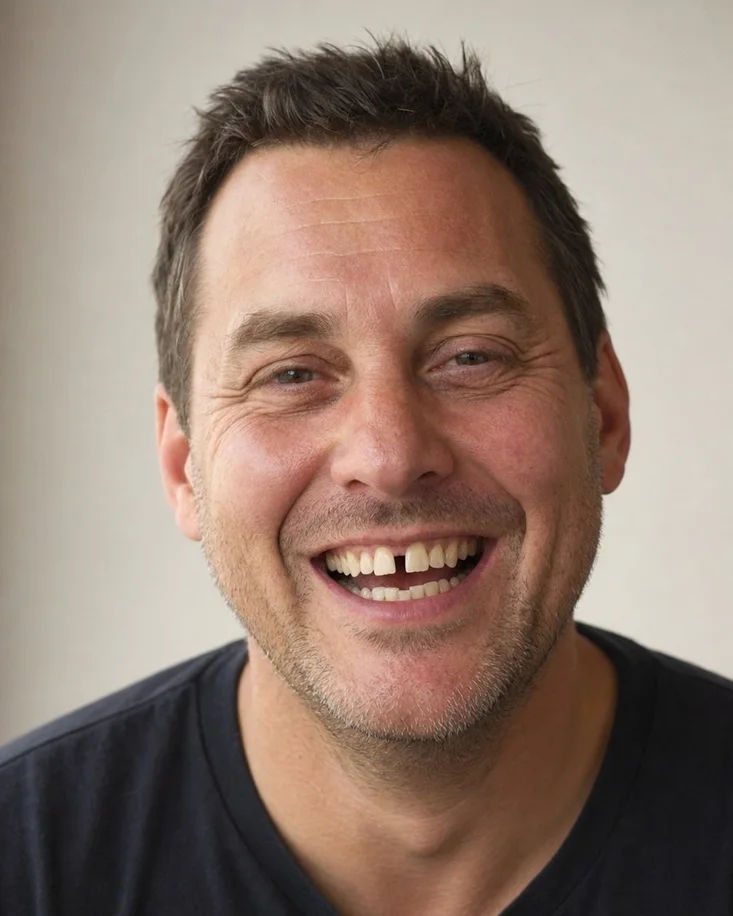
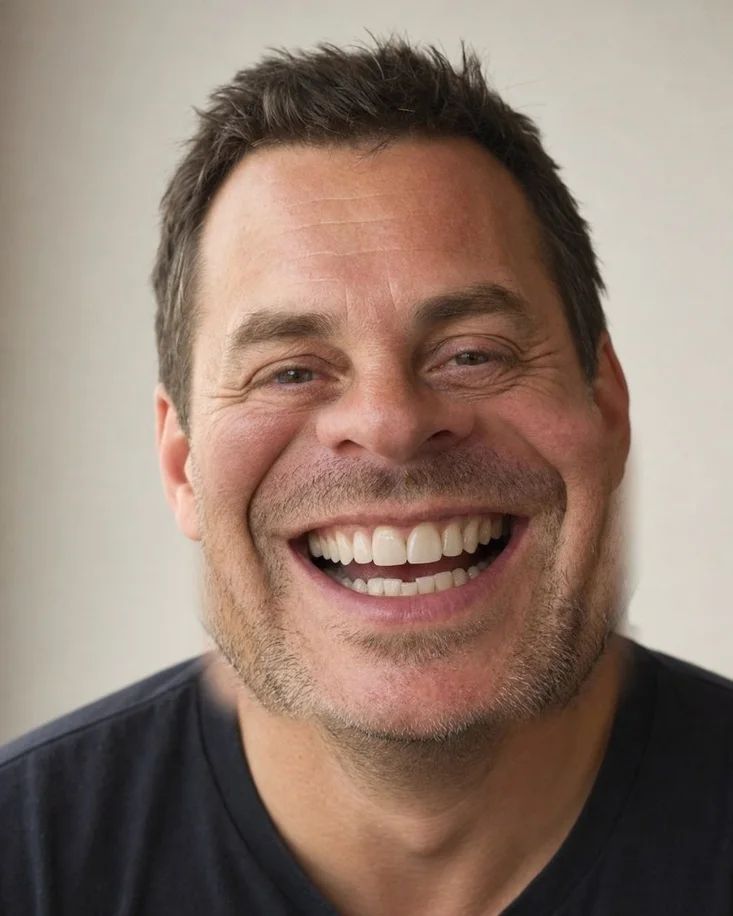
Every treatment carries its own realism limits: translucency kept at the edges, natural shade variation between teeth, visible enamel texture and slight irregularity. Never a uniform opaque white, never oversized “chiclet” veneers, never a Hollywood smile.
The lips are found by a deterministic read, the crop widened to 2.2× their width and 3.2× their height for natural context, and enlarged to around 1024 px so the model works on the teeth. The result is composited back through a feathered mask — 5% of the crop width. Outside it, the original pixels are untouched.
Drift is measured by normalised cross-correlation on 96 px greyscale thumbnails, scale searched across ±10% in 2% then 0.5% steps. A correction is applied only if it measurably improves the match.
An implant preview replaces the missing tooth to match its neighbours and leaves every other tooth exactly as photographed. When the finding is crowding or spacing, the plan leads with aligners — they move the teeth rather than cover them.
The analysis describes visible appearance in a photograph. It does not name a dental condition, and it cannot see decay, gum disease or a bite problem.
It does not judge candidacy, bone health or enamel condition, and it does not sequence a treatment plan. Every result routes to an in-person examination.
Orthodontics is advised but never rendered, and a photograph that does not show the teeth is declined rather than scored on inference.
Target the highest-intent searches — the questions other practices ignore.
Every practice bids on the same handful of procedure words. What people actually type is a worry: the gap they hide in photographs, the tooth that looks shorter than the other one. Lexivo sends those searches to a free analysis of their own smile, so the click becomes a conversation rather than a bounce.
Smile worry search → AI smile analysis → simulation → your personal reply.
Match each search to the right analysisSeven indicators means seven kinds of question a treatment page cannot win.
Give them a reason to engageThe click lands on a read of their own smile, not on a contact form.
Measure booked consultations, not clicksThe Google Ads click identifier and campaign arrive attached to the enquiry, so you can see which searches produced patients.
A gap between your front teeth? See it closed — free AI smile analysis
Upload one photograph. See your smile analysed, and how treatment could look on you.
Illustrative example. Searches shown are examples of what the analysis can answer, not claims about search volume. Keyword lists and campaign work are part of the Lexivo marketing dashboard that ships alongside the toolkit — you run it yourself, or we run it with you.
Don’t advertise a whitening offer.
Advertise their own new smile.
Most practices on Instagram run the same ad: a whitening offer and a phone number. Point yours at your practice’s toolkit instead — a free analysis of their own smile, and a simulation of the result. One tap opens it, with no app store and no download, and every consultation it produces is traced back to the ad in your dashboard.
WHITENINGNEW PATIENTS · BOOK TODAY
smile.dental.care Brighter smiles. Call us today.
A phone number, and a call to make.

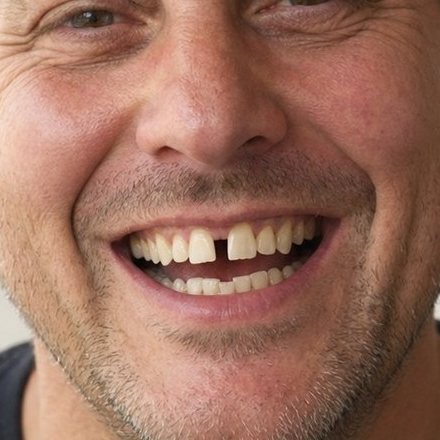
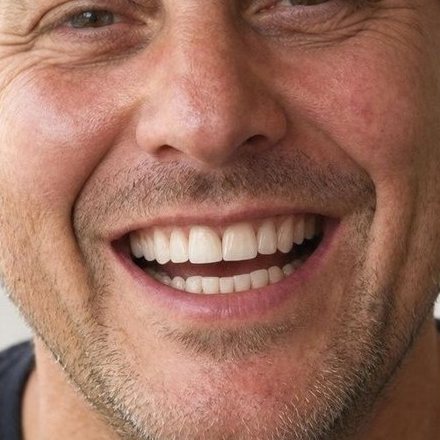
hudsonsmileco Upload one photo and see your own smile previewed. Free, about a minute.
Their own smile, previewed, in your practice’s toolkit.
Opens instantly
The ad links straight into your practice’s toolkit. No app store, no download, no form first.
Same preview, same dentist
Their smile analysed and simulated, then a personal reply from your dentist.
Traced to the ad
Every preview and booking is attributed to the ad that produced it, so you can see which ad pays.
You or your agency run the campaign; your toolkit is where it lands. Keep ads within Meta’s advertising policies and your professional advertising rules — describe the offer rather than suggesting the viewer has a dental problem, and keep every simulation labelled.
The toolkit is the offer.
The dashboard fills it.
Send the smile analysis to every enquiry you already have, point ads at it instead of at a treatment page, let the follow-up run while you are chairside — and see which enquiry turned into a consultation.
Send the smile analysis to every enquiry you already have
Send now- Daniel O.Gap between front teeth · enquired in May
- Leah P.Whitening · consultation, never treated
- Marcus T.Chipped edge · last seen over a year ago
Every past enquiry that went quiet gets a link to analyse their own smile — with no advertising spend attached to it.
What they searched before they found you
Last 30 days| Search | Analyses | Enquiries |
|---|---|---|
| cosmetic dentist near me | 342 | 44 |
| veneers before and after | 256 | 35 |
| teeth whitening | 201 | 27 |
| gap in front teeth fix | 139 | 19 |
Keyword lists and budgets are built around the treatments you actually offer.
Follow-up, running on its own
On- Messages sent196
- Opened137
- Ran a smile analysis57
- Consultation booked35
People who opened get a soft nudge. People who ran an analysis get a different one. Both stop the moment somebody books.
Figures shown are illustrative — they show the shape of the report, not a rate anyone should expect. The dashboard ships alongside the toolkit on one login.
More than 5 dental practices already run their own toolkit.
Every one of them ships Lexivo under its own name, palette and treatment menu — never ours.



The ones practices ask first.
With one short snippet, added once by whoever manages your site; anything that accepts a script tag can run it. It loads after your page, and the toolkit itself only loads when a visitor shows interest, so it adds very little to your load time. On a phone it opens as a full-screen sheet that the back button closes.
Yes. Point the ad at your toolkit’s link: it opens instantly in the browser, with no app store and no download, and every preview and booking it produces is traced back to the ad in your dashboard. You or your agency run the campaign. Lead with the free smile preview rather than a phone number, and keep every simulation labelled.
Whoever you choose — the dentist, a treatment coordinator or your front desk. The request arrives with the photograph, the smile analysis and the simulation already attached, so a considered reply takes a couple of minutes rather than a phone call.
No, and the report says so in the patient's own words: it is a cosmetic read of how a smile looks, it cannot detect decay, gum disease or bite problems, and a licensed dentist needs to examine them in person.
Yes. The treatment menu is a setting in your admin area, and the patient-facing suggestions are filtered to it. A treatment you switch off never appears.
Because it would be a promise the toolkit cannot keep. Orthodontic movement takes months and depends on the patient wearing the appliance. It is still ranked and recommended — and routed to a conversation with you instead of a render.
No. It runs in a browser on your own address, so it can be linked from a page, an advertisement or a message. There is nothing for a patient to install.
The consultation button points at your own booking page — a scheduling link from the usual providers, or any address you set. Leave it unset and patients use the toolkit’s own request form instead, which lands in your admin area carrying what they explored and asked.
See the wow — and the reply that books them.
Fifteen minutes. We analyse a real smile photograph while you watch, simulate a treatment from your own menu, and show you the request and reply that turn it into a consultation. No slides.
Watch a smile analysis run liveIncluding the parts where it declines to answer, which is the part worth seeing.
See a simulation of a treatment you offerYour menu, on a real smile, at the quality a patient would get.
Send a reply from the dashboardThe human half — the part that turns an analysis into a booked patient.
We'll be in touch within one business day.