Most AI rooms
aren't their room.
Point an ordinary AI tool at a photograph and it hands back a lovely room with the windows in the wrong place and a ceiling that has quietly grown taller. Your client notices immediately, and once they stop trusting the picture they stop trusting you.
Everything below exists to stop that happening. None of it is a setting anybody has to remember. It applies to every design your clients make.
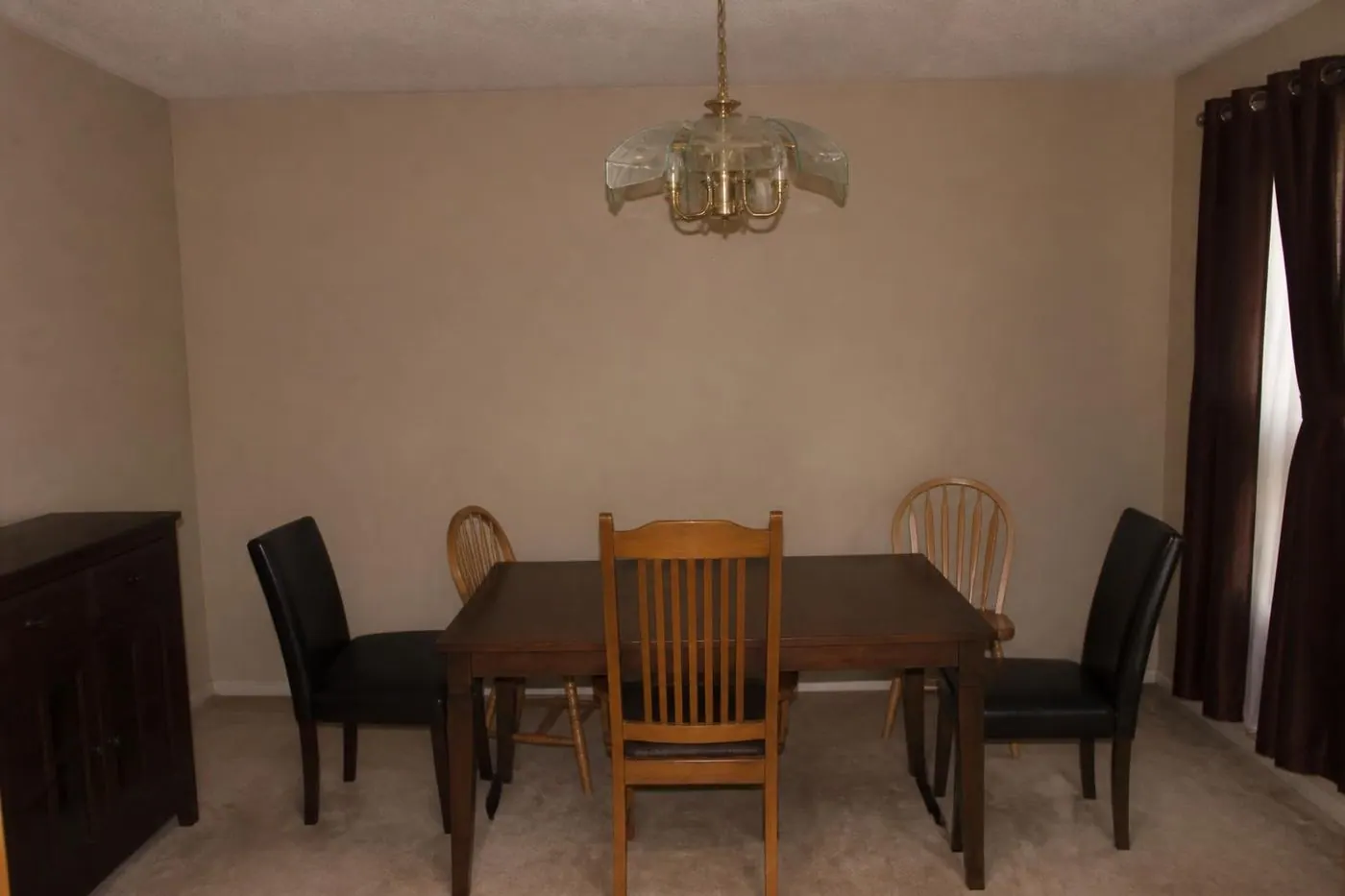
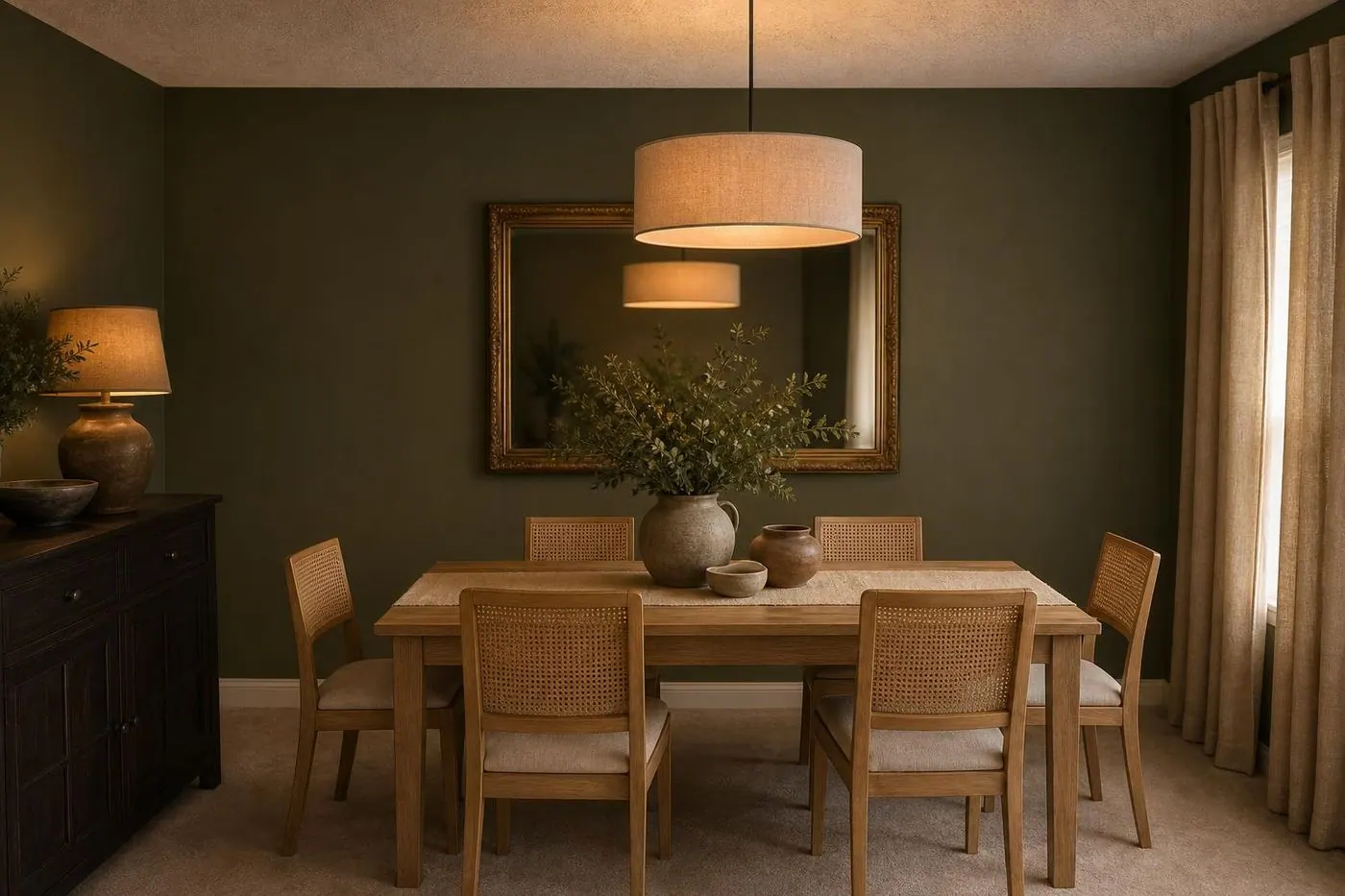
Four ways a generic AI image
costs you the enquiry
These are not occasional glitches. They happen nearly every time, and each one loses somebody who was genuinely interested.
The room moves
Windows shift, the ceiling rises, a doorway appears somewhere new. It is a beautiful room. It is not theirs.
The two photos jump
Before and after do not line up, so the image shifts as they drag between them.
It promises too much
A magazine result with a budget nobody mentioned and a wall that has quietly disappeared.
Rubbish in, rubbish out
A dark, blurry phone photo produces a muddy result that makes your studio look careless.
The architecture
is locked first
Before the app changes a single surface, it is handed a list of things it is not allowed to touch. That list cannot be switched off.
Walls, ceiling height and floor planThe proportions of the room stay exactly as photographed.
Windows, doors and the view outsideIncluding what can be seen through them.
Fireplaces, radiators, stairs, beams and alcovesEvery awkward feature a real project has to work around.
The camera and the lightSame position, same angle, same time of day.
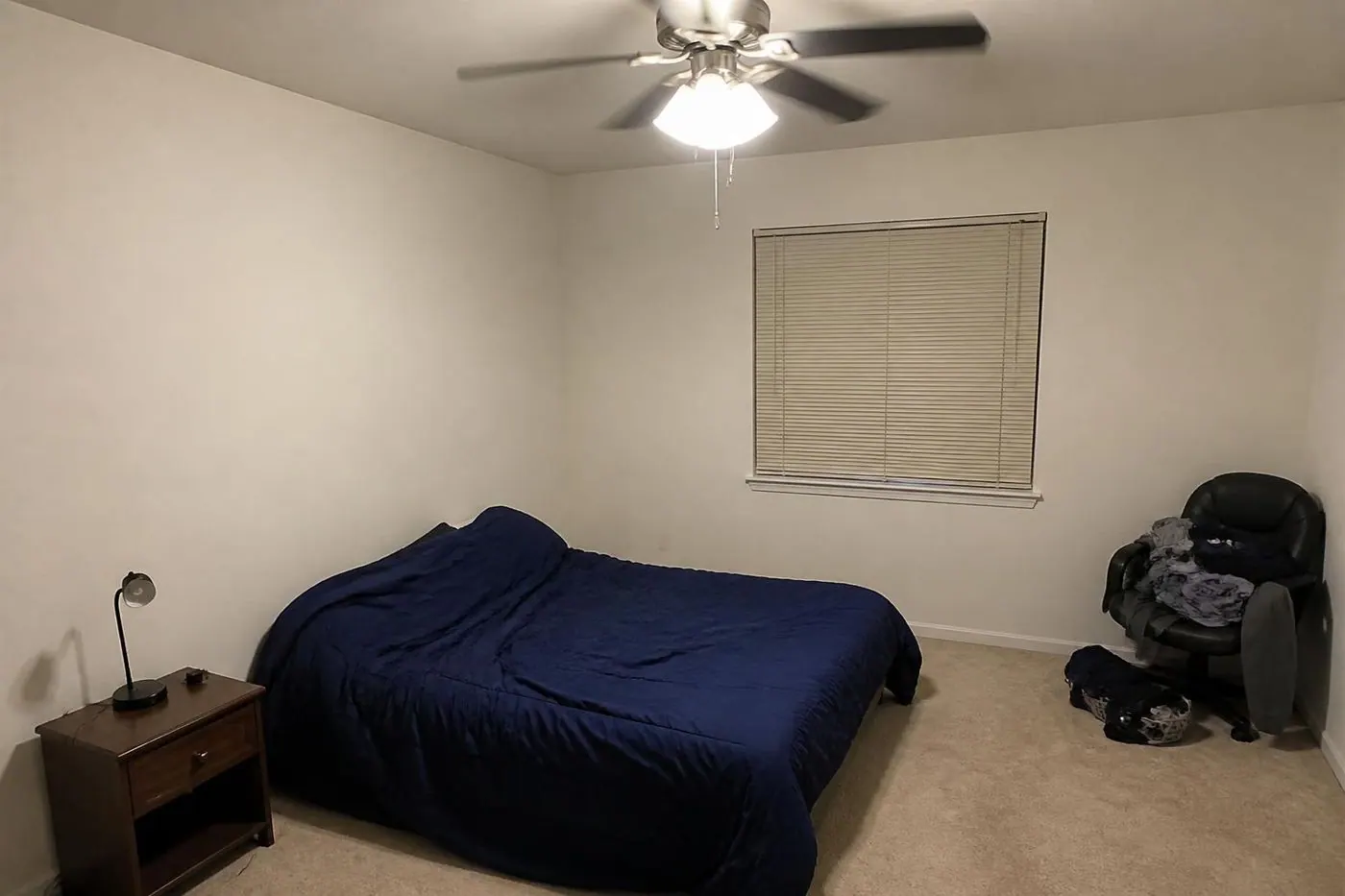
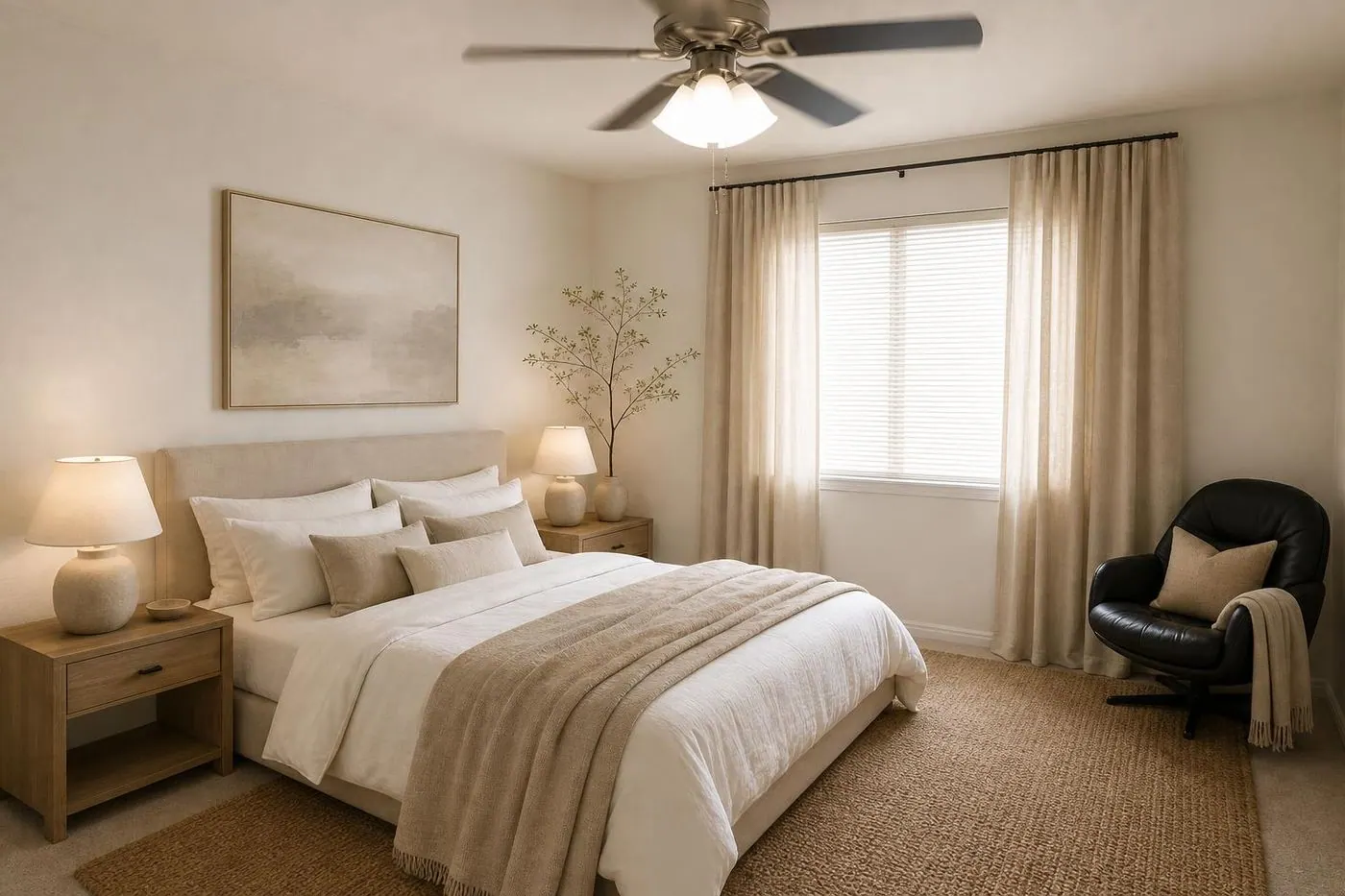
It has to read instantly as the same room in the same photograph, only far better.
Each kind of space
protects something different
A living room, a kitchen and a garden are not the same problem, so they do not share the same rules.
Kitchens
The cabinet run, the island footprint and the plumbing wall all stay put. The kitchen is refitted in place, never relocated. That is what keeps your costing believable.
Bathrooms
Vanity, toilet, bath and shower keep their positions, because moving them is the single most expensive thing a client can ask for.
Gardens
Boundaries, fences, neighbouring buildings, the sky and the time of day all stay. Only the planting and the hardscape change.
Exteriors
The building keeps its shape and its roofline. Materials, colour and landscaping are what move.
Before and after
line up exactly
AI tools shift the framing slightly when they redraw an image. You would barely notice on its own, but your client drags the slider and the whole room jumps.
We measure that shift and correct it before anybody sees the result. If the difference is too large to fix properly, the image is thrown away rather than patched up. It is a small piece of work that almost nobody bothers with, and it is the difference between a comparison that convinces and one that confuses.
Never worse
than the photograph
The result can never come back darker, smaller, more cluttered or more dated than what your client uploaded. There is a floor beneath every design.
And a ceiling above it. The app aims for a good, normal outcome rather than an idealised one, and when it is uncertain it does less rather than more. No fantasy budgets, no walls quietly removed, nothing you would then have to talk a client down from.
A poor photograph
never becomes
a poor design
Every photo is checked before anything is made from it. If the room is too dark, too blurry, or the person has accidentally uploaded a selfie, the app politely asks for another.
It would be easier to generate something regardless. But a muddy, half-lit result is worse for your studio than no result at all, so the app would rather ask twice.
The limits are
deliberate
A tool that flatters everybody eventually embarrasses somebody. These are the things the app refuses to show, and none of them can be turned on.
It will not move wallsNo knocking through, no extensions, no structural change. Those belong in a conversation with you, not in a phone app.
It will not specify anythingNo product names, no suppliers, no prices. It shows a direction, not a schedule.
It will not pretend to be youThe app never claims to be a designer or offers professional advice. It exists to start the conversation.
It will not flatter the photoNo fake sunlight, no impossible ceiling heights, no rooms that are quietly larger than they were.
Try it on a photo
of your own room
The quickest way to judge any of this is to point it at a room you know well. It takes about a minute and there is nothing to install.